When a customer asks about your emissions, you need more than a total. Keep your data and the evidence behind it together, so you can explain the numbers.
See how it works
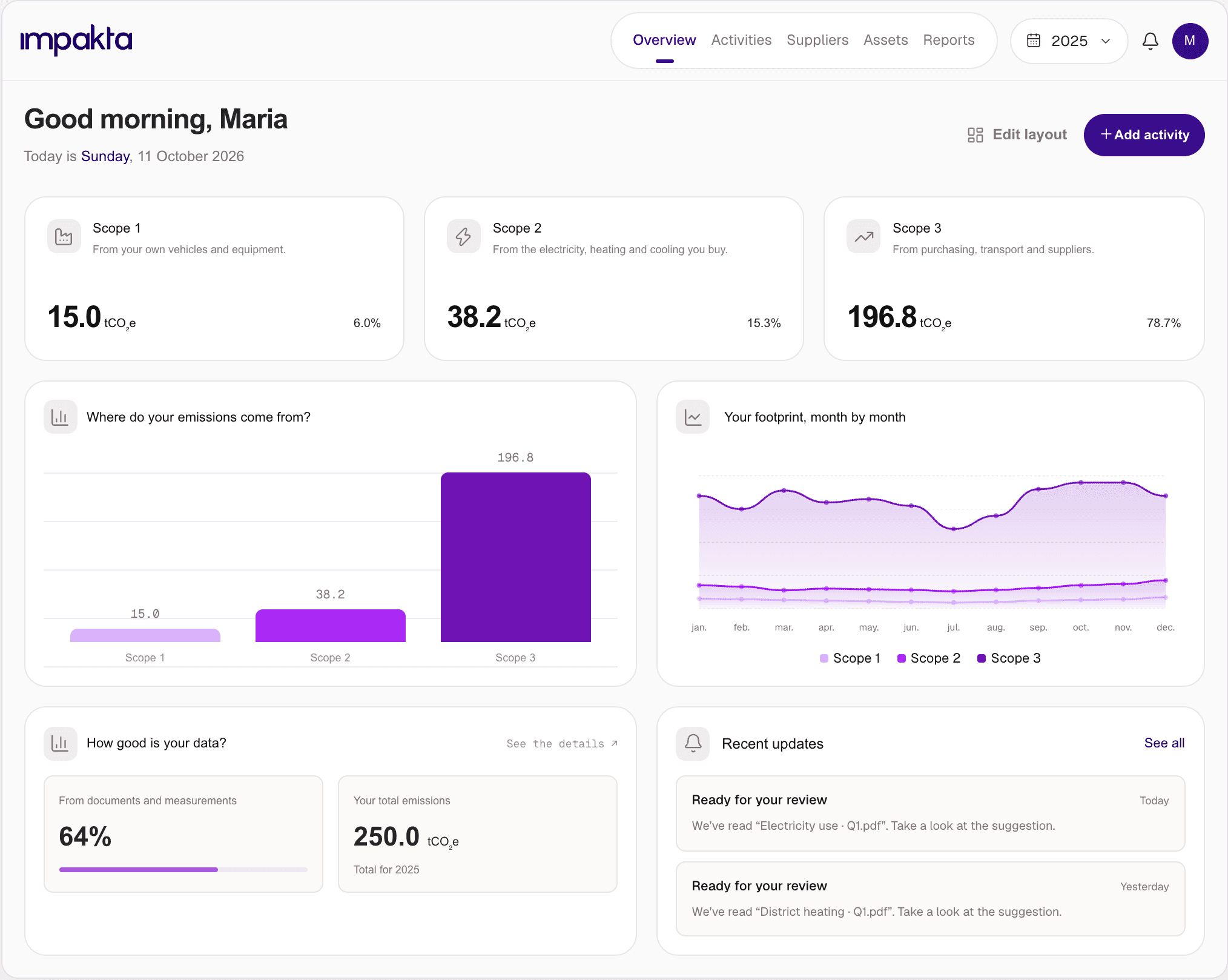
All your emissions data. A clear view of the numbers.
See how each figure was calculated and trace it back to the original invoice, meter reading or supplier response. With everything connected, you can check the details and use the same data in your reports.
We make sustainability part of everyday business.
Get started
with the data you already have.
Start with your invoices, spreadsheets and accounting records. Upload them to Impakta and see what’s ready to review.
Start with the files
you already have.
Upload invoices, spreadsheets and accounting exports. See all your files in one place, with a clear view of what’s ready to review.
Your accounting system
is a data source too.
Connect your accounting system to bring your data into Impakta.

AI does the groundwork.
You make the call.
Let AI suggest the details. Check them against the source, make any changes and approve when you’re ready.
Nothing is added until you approve it.
A number you can
explain from start to finish.
Open an activity to see the quantity, emission factor and original document behind the calculation.
Total greenhouse gas emissions
Calculation methodQuantity-based (measured)
Usage × emission factor
Bring your suppliers
into the process.
Send a data request. Your supplier replies through a link, and you review their answers and documents together.
Choose a supplier and period.
1 January to 31 DecemberInformation and documents through one link.
Usage and supporting documentsCheck the response and link it to an activity.
Track energy use
across your business.
Link activities to buildings, vehicles and machines. See which parts of your operations are behind the numbers.
See where to
focus next.
See where data is missing and which activities produce the most emissions. Use both to decide where to focus next.
of your emissions data is primary data
When it’s time
to put your work into a report.
Use your emissions data in a VSME report. Follow the steps to add the remaining information, with the underlying data saved alongside it.





Bring your accounting data straight into Impakta.
You don’t have to
be an expert.
AI reads your invoices and suggests what to record and how to calculate the emissions. You check the details and decide what to approve.
Nothing is added until you approve it.
See the evidence
behind every number.
Open an activity to see the quantity, emission factor and original document. Everything you need to check the calculation is there.
Total greenhouse gas emissions
Calculation methodQuantity-based (measured)
Usage × emission factor
Get the data you need from suppliers.
Send your supplier a request. They follow a link to add their data and upload documents, and you review it all in Impakta.
Choose a supplier and period.
1 January to 31 DecemberInformation and documents through one link.
Usage and supporting documentsCheck the response and link it to an activity.
Every building, vehicle and machine has its own footprint.
Link your data to the buildings, vehicles and equipment it comes from. See what each contributes to your footprint and where to focus next.
Know where to focus next.
See where you’re relying on estimates and which activities produce the most emissions. Use both to decide where better data would make a difference.
of your emissions data is primary data
Turn the work you’ve done into a report.
Bring your emissions data into a VSME report, with guidance at each step. Add the remaining information and keep a record of the data behind the finished report.
Keep your emissions data organised as you go. When someone needs a figure or asks how you calculated it, you can find the answer and the evidence in the same place.
Build on last year’s work.
We built Impakta to make emissions data useful all year.
Calculating your footprint takes work. We don’t think that work should end with a report filed away. Impakta keeps your data organised and usable, so you can answer questions, make decisions and build on it year after year.
“Your data should do more than sit in a report.”



Do we need all our data ready before we start?
What data can we collect in Impakta?
Does Impakta cover Scopes 1, 2 and 3?
What types of files can we upload?
Does AI approve our data automatically?
How does Impakta support VSME reporting?
Show us a file, a question from a customer or a task you need to get done.
We’ll walk through how Impakta could help, what getting started involves and what it costs.
Let’s talk